Observe contracts and margin
Use a virtual portfolio to explore directional positions, contract quantities, tick movement, balances, and margin mechanics.
Explore simulationDefine directional futures strategies with contract selection, session rules, tick-native exits, margin-aware sizing inputs, and expiration controls that match how futures markets operate.
Continued testing and automation: Premium/Elite. Live connection: Elite plus eligible provider/account. Check futures coverage and restrictions.
Futures-specific mechanics remain visible whether you start in simulation, a visual builder, or Python.
Use a virtual portfolio to explore directional positions, contract quantities, tick movement, balances, and margin mechanics.
Explore simulationCombine your entry condition with contract sizing, tick stops and targets, session timing, and expiration rules.
Explore no-code botsDevelop custom Python signals while using supported futures selectors, position controls, and order planning.
Explore PythonThese illustrative examples show futures-native configurations; they are not trade recommendations.
Separate the futures product from the eligible listed contract selected for execution.
Express supported protective distances using ticks where that is the native unit.
Configure entry windows, time exits, and session-close handling around your strategy.
Use supported offset and expiry safeguards to avoid blindly targeting an expiring contract.
Futures use margin and can produce rapid losses, including losses beyond an initial deposit. Contract selection, expiration, liquidity, and provider behavior require continued review.
A futures trading bot repeatedly evaluates user-defined rules for supported futures products and contracts. The configuration can include direction, contract quantity, session timing, tick-based exits, and expiration controls.
Supported selectors can use contract offsets and expiry safeguards, but you remain responsible for reviewing first-notice, last-trade, roll, liquidity, and provider behavior.
Yes. Futures-specific workflows can express supported protective distances and targets in ticks alongside session windows, time exits, and contract sizing.
No. Futures are leveraged, losses can exceed an initial deposit, and automated rules do not guarantee fills, prices, uptime, or outcomes. Eligible account and provider support is required for live use.
Inspect the 15-minute MNQ mean-reversion template: RSI(7) at or below 30 for long entry, at or above 70 for short entry, one contract, a 160-tick initial protective distance, a 100-tick target and a six-hour maximum hold. Its lifecycle closes before expiry with a three-day setting and uses the selected front contract offset. These are example settings, not optimized rules.
Inspect Futures 15m MNQ Mean Reversion, use Customize to save a private draft, and review every setting before running it.
| Reported historical period | Matched closed-trade records | Last completed run |
|---|---|---|
| 2026-09-10 to 2026-10-02 | 122 | 2026-10-10 |
Historical simulation, not live performance. Partial closes may create multiple matched records. The run uses available history; its dates can change as data refreshes. Inspect costs, fills, missing data and warnings in the full report. These settings demonstrate software behavior, not a recommended strategy.
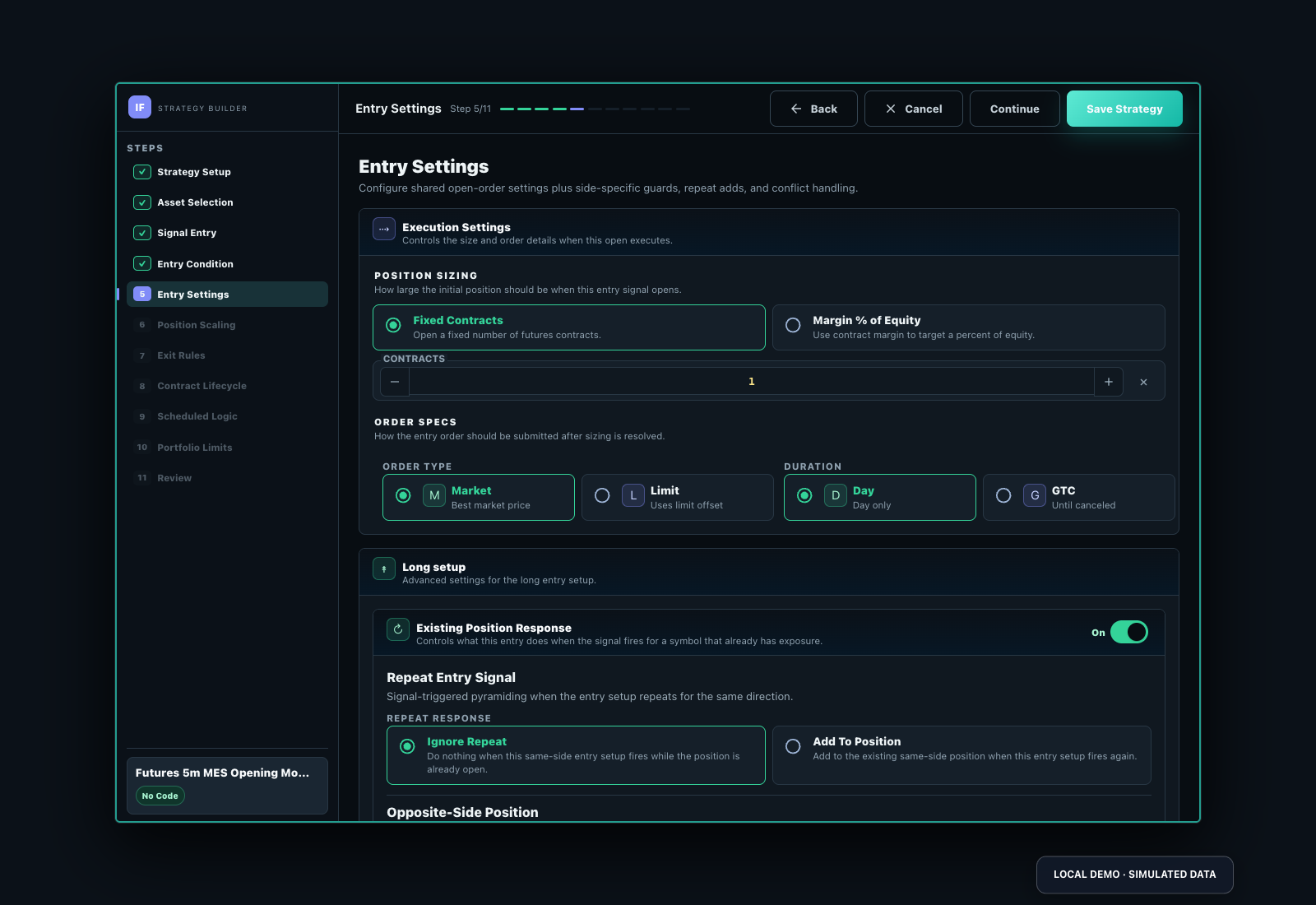
Historical futures bars use continuous/back-adjusted product history rather than exact broker-fill replay for every contract month. Verify tick size, multiplier, margin, session, first-notice/expiry and roll behavior before comparing the model with a live contract. TastyTrade is the marketed futures connection; live account/instrument eligibility and Elite access apply.
See the backtesting guide, futures rule examples and plans.
| Provider for live connection | Market/account scope | Paper mode | Live mode |
|---|---|---|---|
| TastyTrade | Supported listed products/contracts, approved account and permissions | Investfly virtual portfolio: simulated funds; no provider connection required. | Elite: separately authorize an eligible provider account. |
Historical testing: Continuous/back-adjusted product bars; not a complete history of each dated contract. Review roll and expiry assumptions. Stored intervals are 1, 5, 15, 30 and 60 minutes and daily where data is available; inspect the reported period instead of assuming every symbol has every interval.
Plan and execution limits: Premium or Elite is required for continued automated deployment and historical testing after the trial. This market’s paper practice requires the applicable Premium/Elite entitlement after the trial; Standard’s continuing free practice is for stocks/ETFs. Provider support is not a promise that every account, country, symbol, structure or order type is eligible. Review the connection and strategy compatibility report, quote timestamp, fees and market-data rights. Investfly-managed protection and modeled fills can behave differently from native broker orders. Review current plans and testing assumptions.
The MNQ example above reports September 10–October 2, 2026 and 122 matched closed records. That short period is a configuration check, not evidence of long-term robustness. MNQ’s catalog tick is 0.25 index point with a $2 point multiplier: $0.50 per tick per contract. The example’s 160-tick distance therefore represents $80 per contract before fees or slippage; its 100-tick target represents $50. Neither is a guaranteed fill or loss limit.
| Check before comparing results | What to inspect |
|---|---|
| History and rollover | Product series continuity/back-adjustment versus the actual expiry traded; contract offset, notice/expiry handling and three-day close setting. |
| Session and time | 15-minute event timestamps, exchange calendar, breaks and warm-up; the six-hour hold is a separate exit rule, not a declared regular-session-only filter. |
| Fill and costs | Individual entry/exit prices, tick rounding, fees, gaps and margin; compare paper observation with the historical model. |
| Sample and stability | Review more available history and distinct conditions, losing trades and drawdown. Multiple partial closes are not independent signals. |
Open the linked full configuration and current report, then use a compatible virtual account. Historical product bars do not make every contract executable at the selected broker.
Configure the product, direction, size, session, risk units, and expiration controls you intend.
Futures are leveraged products and involve substantial risk of loss.