Expression Builder
Use the builder to turn market fields, indicators, constants, and logical relationships into a readable true/false condition.
Start from a template
Templates such as a price threshold or moving-average comparison prefill a common condition shape. Select a template, enter its required parameters, and add the generated condition. A template is a configuration shortcut, not a recommended strategy.
Choose manual entry when you need a data field, comparison, or nesting pattern that a template does not express.
Build manually
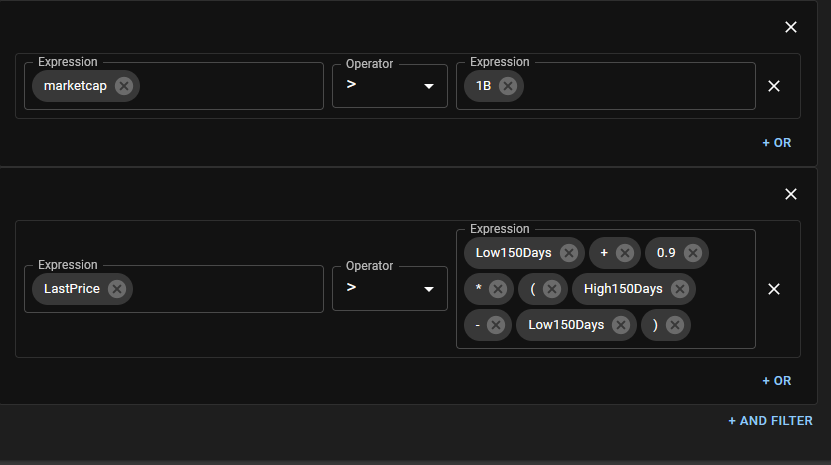
- Choose the left input, such as Last Price, Volume, a financial field, or an indicator.
- Configure the input's interval and parameters where applicable.
- Choose the comparison operator.
- Choose the right input—another field or indicator, or a constant—and configure it.
- Add an OR condition for an alternative inside the current group, or an AND group for another requirement.
Read the group structure
Conditions within one group are joined with OR. Groups are joined with AND. Keep each group conceptually focused so the final summary is easy to audit.
RSI < 30 and Price > SMA in separate groups if both must be true. Putting them in one group means either one can make that group true.Edit and remove
Use the row controls to change an input, operator, or parameter, and remove a row or group that is no longer part of the rule. After a structural edit, read the full expression again; moving one condition between OR and AND levels changes the meaning.
Validation checklist
- Confirm the asset supports every selected input.
- Check the unit, interval, period, offset, and comparison direction.
- Make sure enough history exists for lookback-based indicators.
- Test a case expected to be true and a case expected to be false.
- Remember that a Screener, Market Automation, and Strategy handle a true result differently.
See Expression Concepts for the evaluation model.