Portfolio workspace
The portfolio workspace is the operational record for an Investfly virtual portfolio or a supported connected broker account.
Open Portfolios and select an account. The header summarizes portfolio value, cash, buying power, and margin values supplied by that portfolio environment.
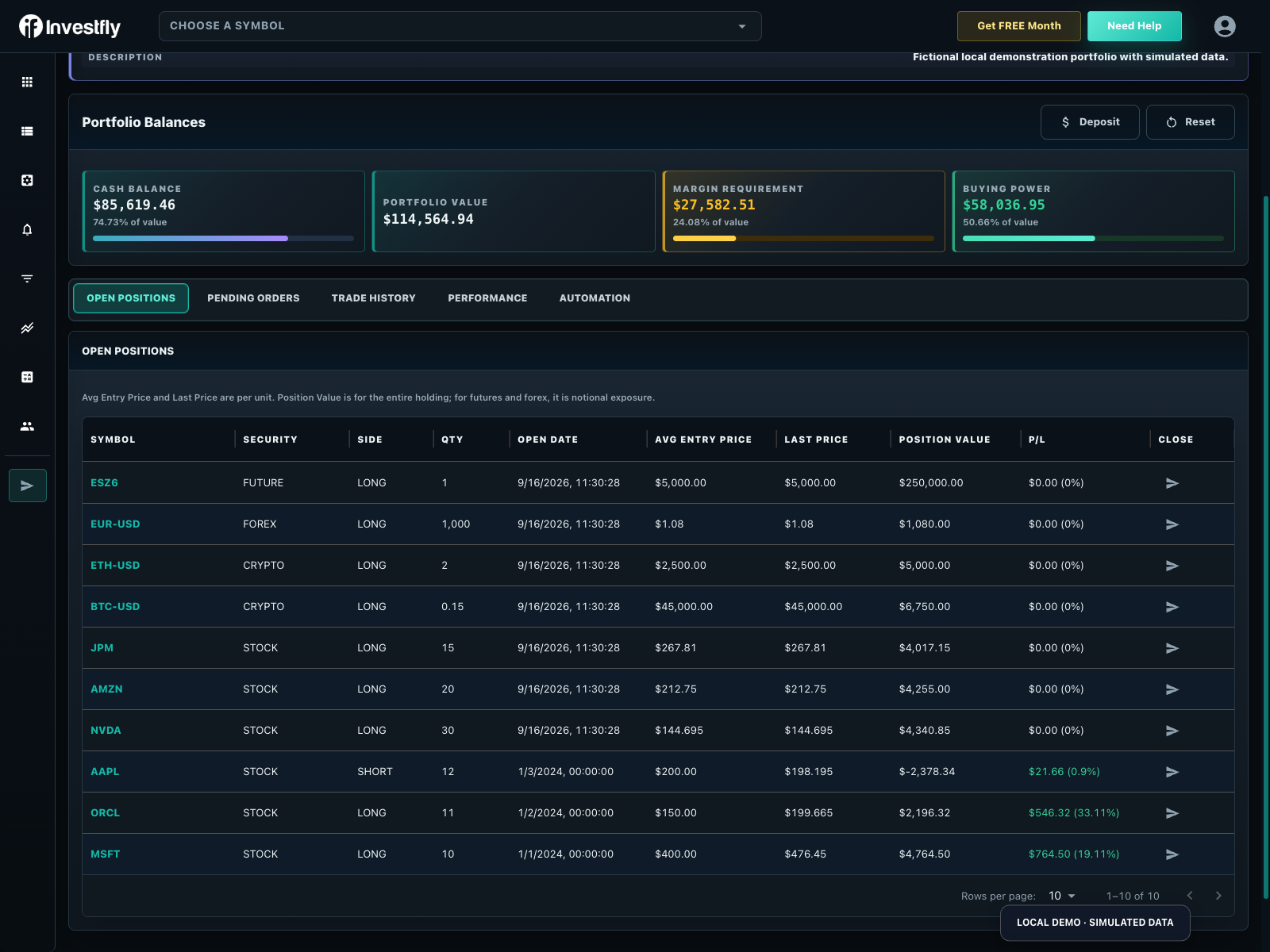
Workspace tabs
| Tab | What it shows |
|---|---|
| Summary | Portfolio headline values and a compact operational view. |
| Balances | Cash, buying power, portfolio value, and available asset/account balance details. |
| Open Positions | Current positions or grouped multi-leg positions, with supported close and management actions. |
| Pending Orders | Working orders, status, and eligible edit or cancel actions. |
| Trade History | Filled and completed trade activity, with available CSV export. |
| Performance | Portfolio history, comparisons, and calculated metrics based on the available account data. |
| Automation | Strategies deployed to this portfolio and their current operational state. |
On smaller screens, some information is combined into an Overview experience rather than separate desktop tabs.
Positions and orders
Open Positions can contain simple positions and asset-aware groups such as option structures. Closing a group or position opens a reviewable action; it does not guarantee the fill. Pending Orders shows orders that have not reached a terminal state and allows editing or cancellation only when supported.
Trade History and closed-position data can be exported as CSV where the export action is shown. For a guided review habit, see how to keep a trading journal. Always reconcile live orders, fills, and balances with the connected provider's own records.
Performance
The Performance tab summarizes trade analytics for the portfolio from matched closed trades. On an Investfly virtual portfolio, look for Net Trading Return and the Cumulative Trade P/L (%) chart. Deposits, withdrawals, and still-open positions change balances or marks but are not the same as that closed-trade metric. Live Performance does not present benchmark comparison, annualized return, or max drawdown. For a worked practice walkthrough, follow how to track investment performance. The view is descriptive, not a forecast or performance alert service.
Available actions
Depending on portfolio type and plan, you can open a Manual Trade, create automation, deploy a compatible strategy, edit portfolio details, and manage orders or positions. Investfly virtual portfolios also expose simulation controls such as depositing simulated funds or resetting the portfolio.