Begin with a decision you can explain
A trading bot is a saved set of instructions. Before opening a builder, state what it may evaluate, what creates an entry, how large an order may be, what ends a position, and which limits should stop the action.
Investfly provides visual and Python authoring, historical backtesting, virtual portfolios, monitoring, and eligible broker connections. You choose or adopt every security, condition, direction, size, schedule, exit, and risk control. The platform does not recommend those inputs or guarantee an outcome.
Choose the authoring path
| Path | Use it when | Starting point |
|---|---|---|
| No-code | You want visual controls for supported universes, indicators, entries, position sizing, exits, schedules, and limits. | No-code trading bot builder |
| Python | You need custom strategy callbacks, typed SDK models, supported packages, custom indicators, or local IDE development. | Python algorithmic trading platform |
You can also begin from an inspectable strategy template. Treat a template as a starting structure, not a recommendation.
Define the complete decision stack
- Universe: choose the symbols, supported list, watch list, or criteria the strategy may evaluate.
- Entry: define the market condition or schedule and whether the rule responds to a new false-to-true edge or remains eligible while true.
- Execution and sizing: choose the supported action, quantity or allocation method, order behavior, and limits.
- Position management: decide whether repeat signals are ignored or may add, and define any supported scaling rules.
- Exit and protective risk: configure signal exits, profit/loss controls, trailing or time rules, and asset-native lifecycle settings.
- Portfolio limits: cap concentration, open positions, or other supported exposure before an order reaches the account.
Stocks, options, crypto, futures, and forex have different units and lifecycle constraints. Use shares for equities, structures and DTE for options, spot pairs for crypto, contracts and ticks for futures, and pairs and pips for forex where the selected workflow supports them.
Backtest the saved strategy
Use a historical backtest to check whether the strategy responds when expected and whether its trade sequence matches the definition. Review individual trades, the portfolio path, drawdowns, counts, assumptions, warnings, and more than one relevant period.
Follow How to Backtest a Trading Strategy for the full workflow. Historical results are hypothetical and do not predict live results.
Observe the bot in paper trading
Deploy the saved strategy to a compatible Investfly virtual portfolio. Watch current signals, orders, positions, exits, schedules, and errors with simulated funds. Paper trading adds forward-looking timing and state evidence that a historical calculation cannot provide, but it still cannot reproduce every live fill, cost, rejection, latency, or provider condition.
Use How to Paper Trade to create the simulation and interpret its account views.
Connect an eligible account only after review
If you choose live use, open the strategy Deployment tab, select an eligible connected account, review the compatibility report and live-trading terms, then authorize the deployment yourself. Provider, account, instrument, jurisdiction, permission, market-data, and current product limits still apply after a compatibility pass.
Continue with How to Use a Trading Bot for deployment, monitoring, pausing, and edit-time retesting.
Build one bot from a complete example
Use the public stock SMA example rather than starting with an unbounded idea. Its five-minute rising-edge entry, sizing, initial protection, staged targets, trailing adjustment and portfolio limits are all explicit.
Inspect SMA CrossOver, use Customize to save a private draft, and review every setting before running it.
| Reported historical period | Matched closed-trade records | Last completed run |
|---|---|---|
| 2026-09-03 to 2026-10-09 | 15 | 2026-10-10 |
Historical simulation, not live performance. Partial closes may create multiple matched records. The run uses available history; its dates can change as data refreshes. Inspect costs, fills, missing data and warnings in the full report. These settings demonstrate software behavior, not a recommended strategy.
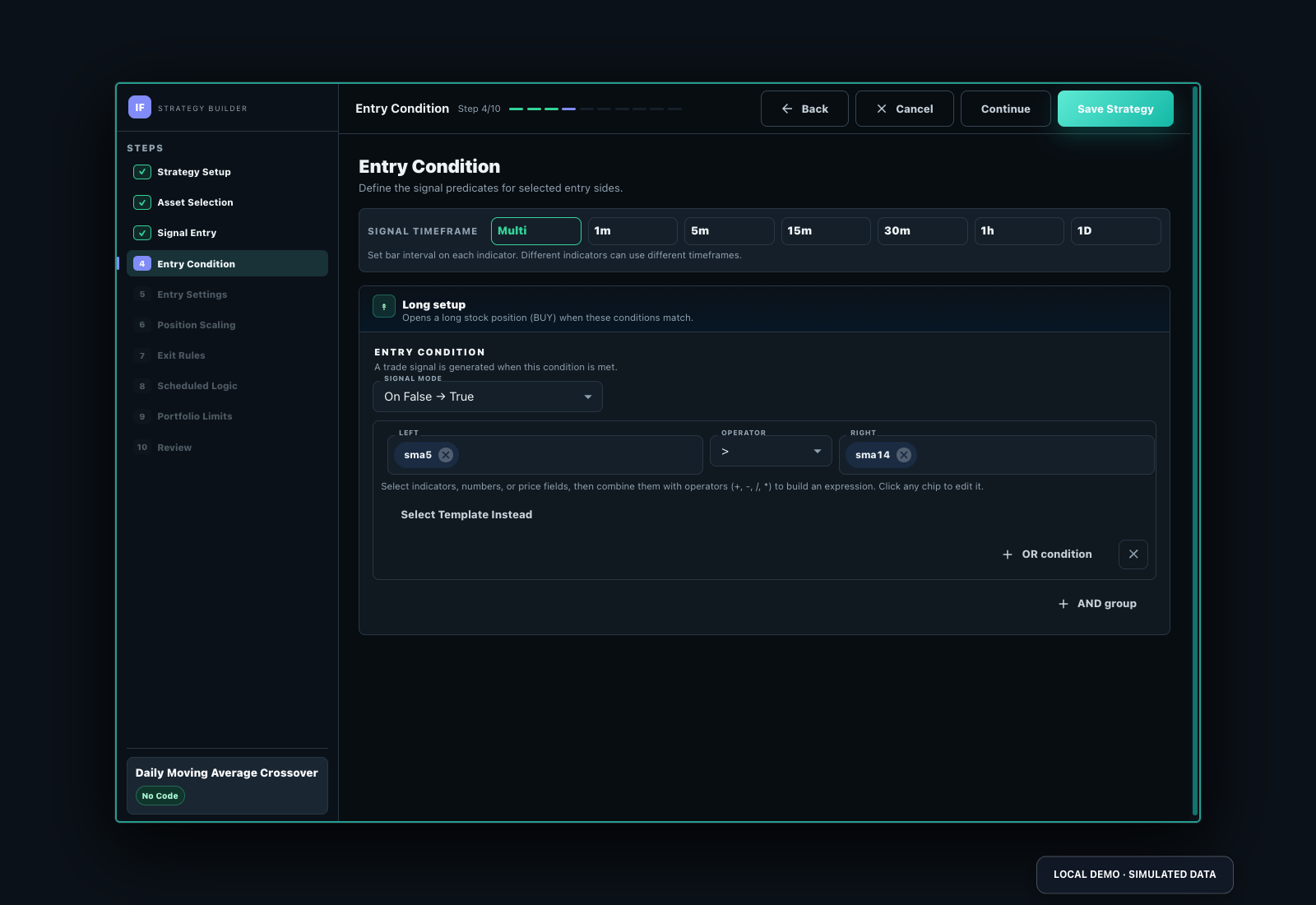
- Customize a private draft, then inspect every entry, sizing and exit field.
- Run a historical test and reconcile several entries/exits to the saved conditions.
- Deploy only to a compatible virtual portfolio for the first observation.
- Review signals, orders, fills and errors, pause after a material mismatch, then edit and retest.
Choose visual configuration or the runnable Python tutorial. Read test assumptions and paid-feature boundaries.