Virtual portfolios
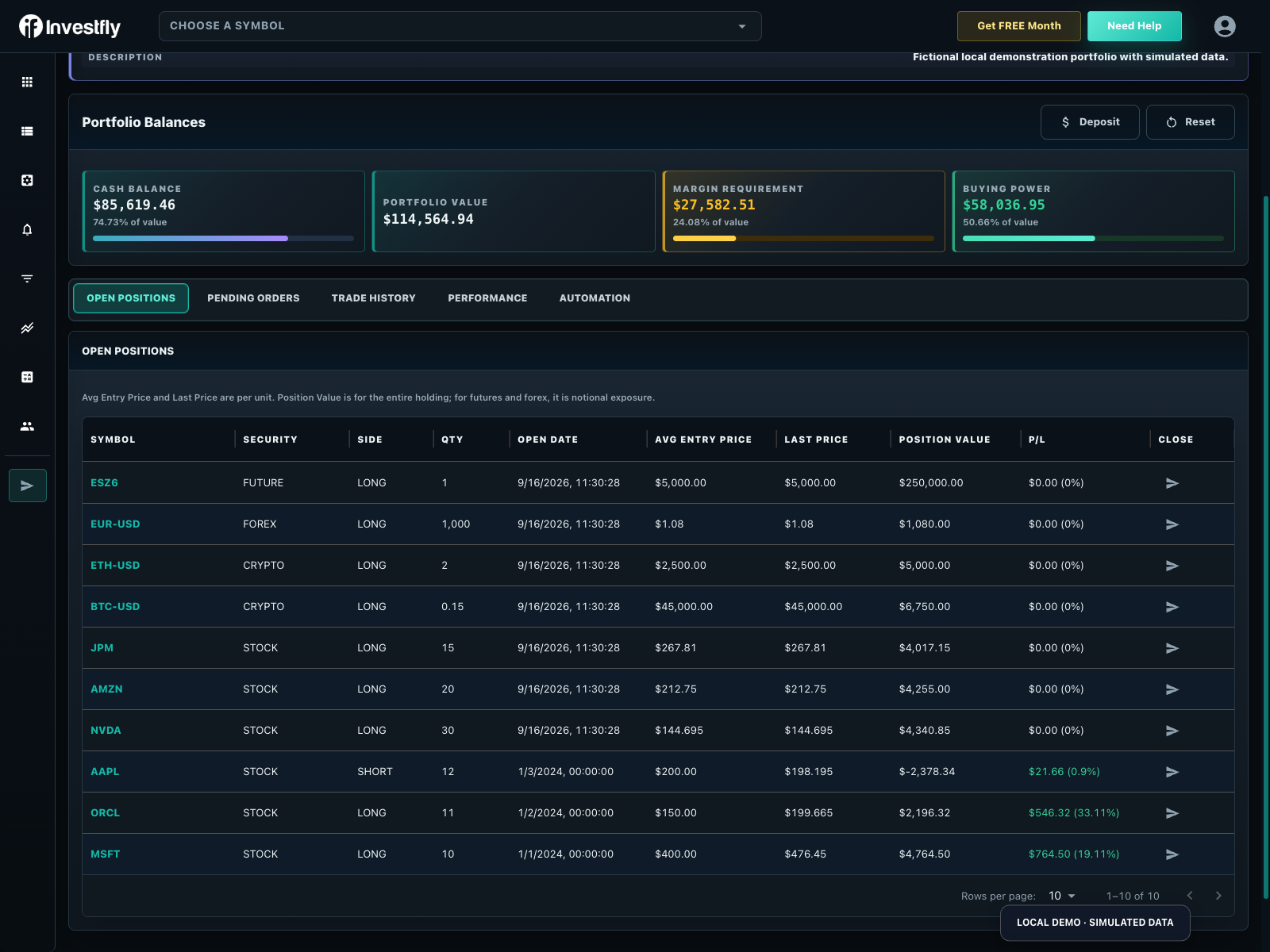
An Investfly virtual portfolio is a forward-looking trading simulation with simulated cash, positions, orders, and performance history.
Create a virtual portfolio
- Open Portfolios and choose New Portfolio.
- Name the portfolio and enter the initial simulated cash amount.
- Save it, then open the new portfolio from the list.
The number of virtual portfolios you can retain depends on your membership plan.
Use the simulation
You can submit supported manual trades, attach Market Automation trade actions, and deploy compatible strategies to the virtual account. Use the same Portfolio workspace to inspect balances, open positions, pending orders, trade history, performance, and automation.
Virtual portfolios support the platform's broad asset model, but the specific ticket or strategy still applies asset-aware controls and data requirements.
Deposit or reset simulated funds
Use the virtual portfolio controls to add simulated funds when you need a larger testing balance. Reset returns the simulation to a clean state and removes its accumulated activity; use it only when you no longer need the current test record.
Backtest versus virtual portfolio
| Environment | Purpose |
|---|---|
| Backtest | Replays a saved strategy against selected historical data with modeled execution. |
| Virtual portfolio | Evaluates orders and automation going forward with simulated funds and current data. |
| Connected broker | Uses a provider account and can involve real orders and capital. |
Use all three as distinct evidence. Agreement between them is not guaranteed.
Next, follow how to paper trade with the Investfly simulator, learn how to track investment performance on the Performance tab, or begin with the paper trading simulator for beginners.
Practice with a virtual stock portfolio
Standard includes one stock/ETF practice portfolio. Premium and Elite provide more portfolios and paid automation. Compare account limits.
| Fictional step | Interpretation |
|---|---|
| Start with $10,000 | Cash and account value begin at $10,000. |
| Buy 10 shares at $100 | $1,000 moves into the position; modeled fees may reduce cash. |
| Mark rises to $105 | The position is worth $1,050; remaining cash is separate. |
| Close at $105 | A matched trade records realized P/L and modeled fees. |
| Deposit or reset | Account value can change without a trading gain; reset starts a new baseline. |
These are illustrative values. Portfolio value, closed-trade return and cash-flow-adjusted investment performance differ. Follow the first-order walkthrough and trade-performance explanation. Use paper trading for individual practice, classroom Labs for a roster/assignment, or backtesting for historical replay.