Submit a manual trade
The Manual Trade ticket submits the order you configure now. It does not create a saved condition, alert, schedule, or strategy.
Open it from a portfolio, symbol page, chart, or supported result list. When the portfolio and instrument are already known, the ticket can take you directly to Order & Review.
Complete the two-step ticket
- Account & Instrument: select the portfolio, asset class, and instrument. Futures require a product and contract. Options require an underlying and contract or supported structure.
- Order & Review: choose the available action, size, order type, duration, and advanced price controls; then inspect the complete preview before submitting.
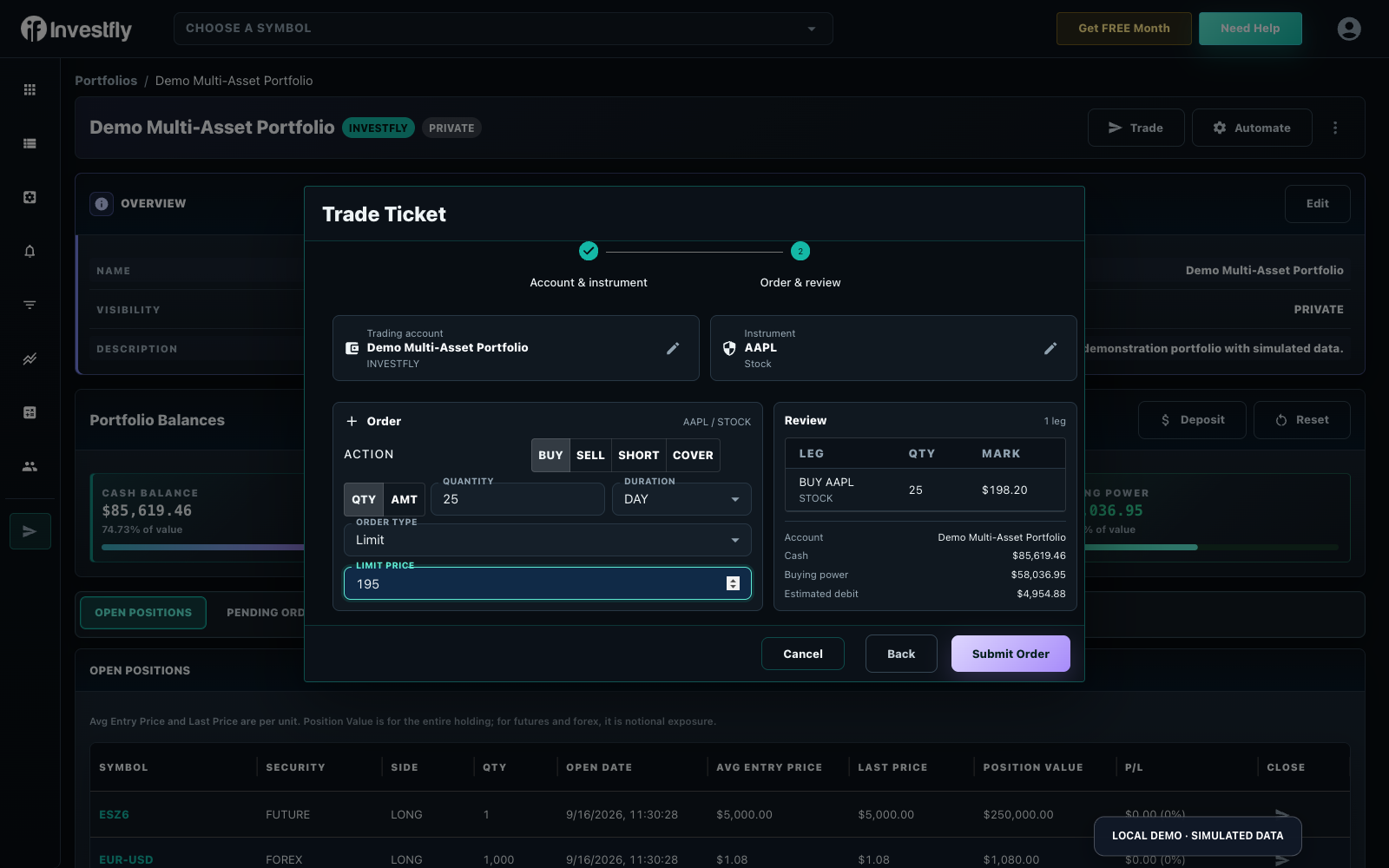
Asset-aware choices
- Equities and ETFs: supported buy, sell, short, or cover actions appear based on position and account capability.
- Spot crypto and forex: choose a supported pair; size can use quantity or amount where the ticket allows it.
- Futures: choose the product, then the exact listed contract and number of contracts.
- Options: choose the underlying, expiration, call/put, and strike, or select an available structure such as a vertical, iron condor, butterfly, covered call, or custom combination.
The provider/account combination controls which assets, actions, and multi-leg structures are available.
Order types and status
The ticket can expose Market, Limit, Stop, and OCO choices plus duration controls when supported. Market orders prioritize execution rather than price. Limit and stop orders can remain pending, and OCO links two conditional legs so that execution of one cancels the other.
After submission, use Pending Orders to inspect, edit, or cancel eligible open orders, and Trade History to review fills and completed activity. Always confirm live activity with the broker as well.
Manual trade versus automation
| Use | Best fit |
|---|---|
| Manual Trade | One order decision you are making now. |
| Market Automation | A saved condition that should notify you, submit one configured order, or both. |
| Trading Strategy | A coordinated lifecycle with entries, scaling, exits, schedules, and portfolio limits. |
If you are learning the entire simulated workflow, start with how to paper trade in an Investfly virtual portfolio.